Frame Finder
Type what you know about a frame. Get its cabinet, row and box.
- Client
- An eyewear retailer’s store team
- What
- A private phone tool, behind a company sign-in
- We did
- Design, build, data pipeline, security, daily upkeep
- Visit
- Private to staff. The stills here stand in.
Where is this frame?
An eyewear store keeps hundreds of frames in drawers behind the counter, across six cabinets. A customer names one, or hands over a pair with a size printed on the arm, and someone has to know which drawer it lives in.
Experienced staff were the index. New staff weren’t. The tool had one job: turn whatever someone knows, a name, a size, a colour, a half-remembered spelling, into a cabinet, a row and a box.
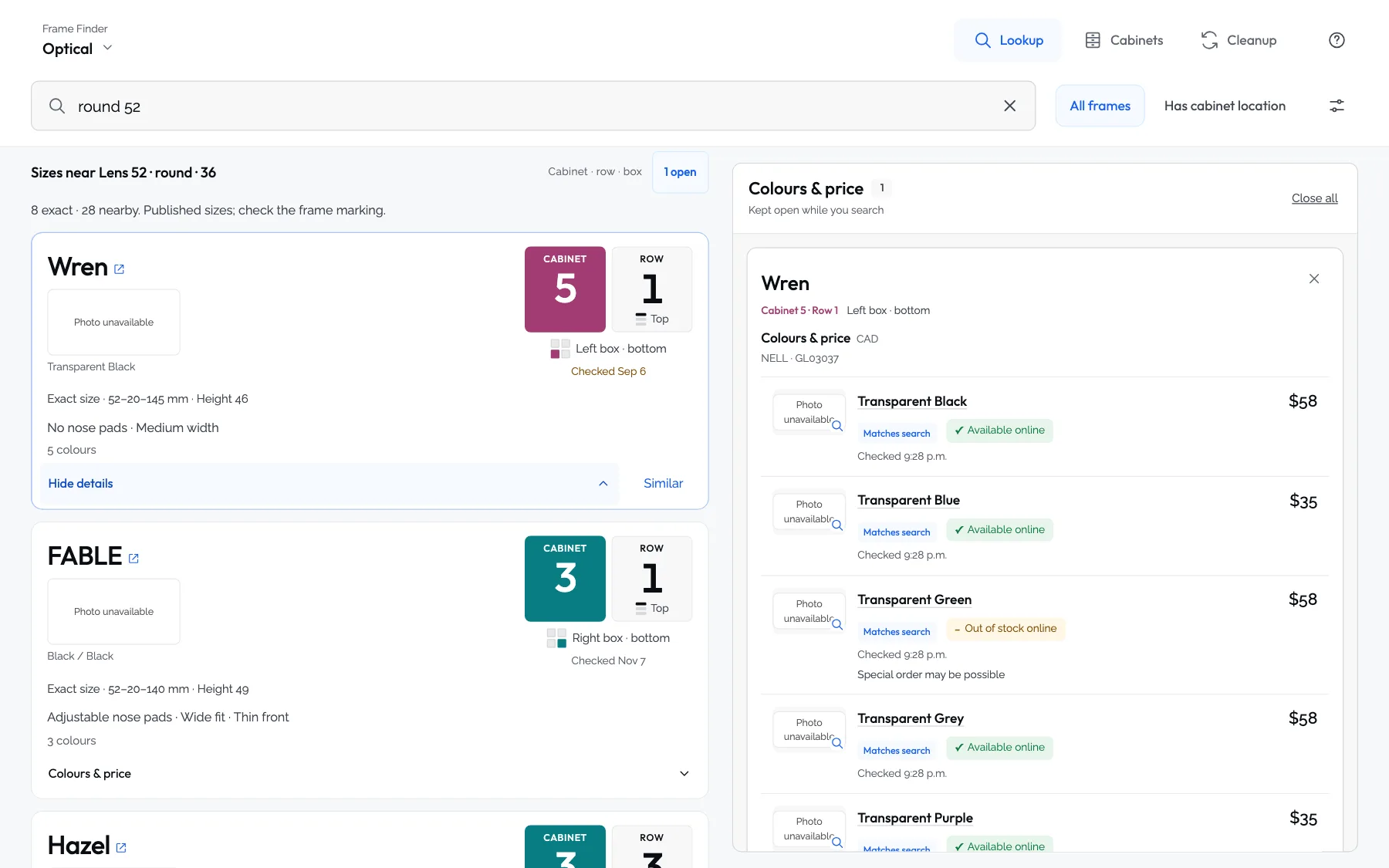
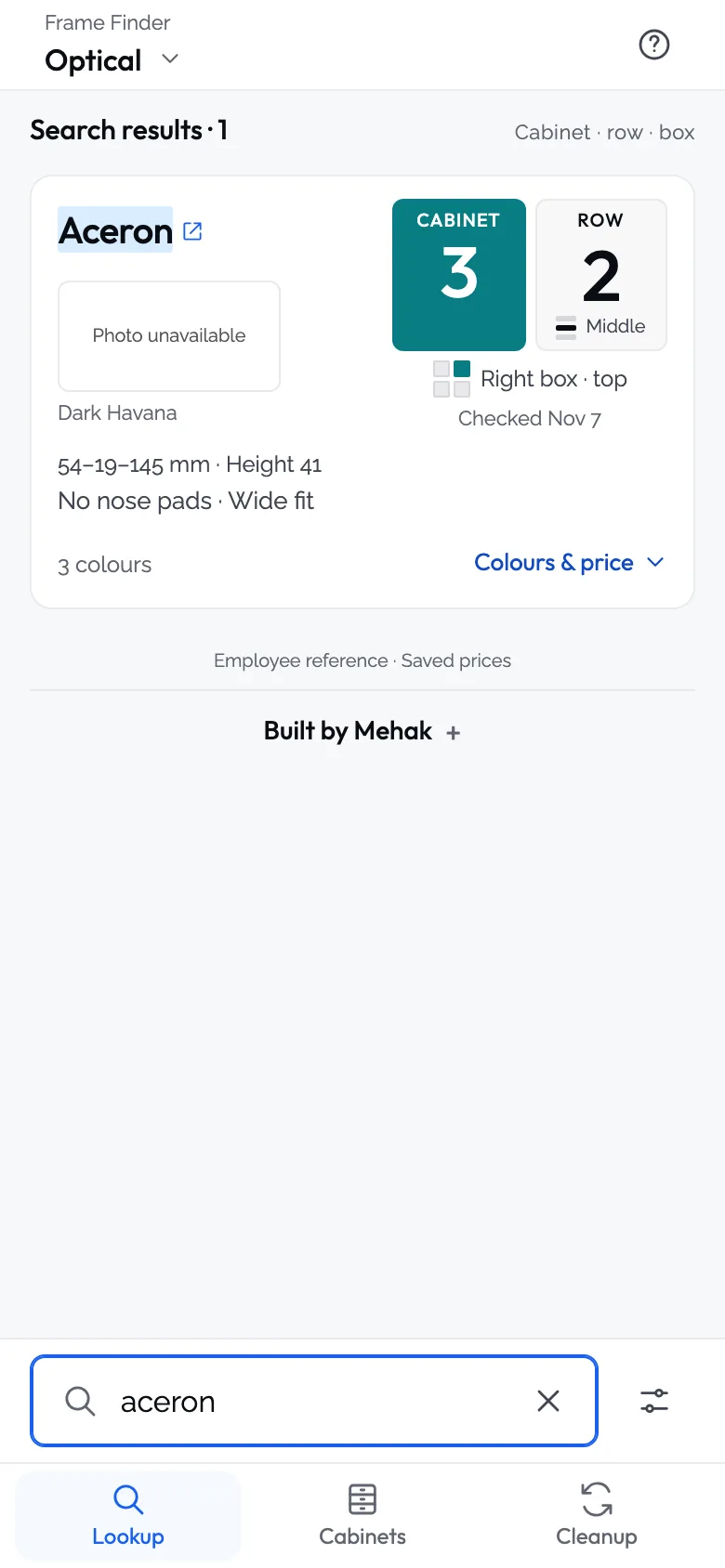
The answer is the biggest thing on the screen.
Every result leads with two numbers, cabinet then row, set large in the cabinet’s own colour. A small diagram shows which box in the row, and a date says when that box was last confirmed there.
Search takes a name, a size (52-18-145, or just 52), a colour, a cabinet (C4 R2), or a mix: round 52. Spelling mistakes are fine.
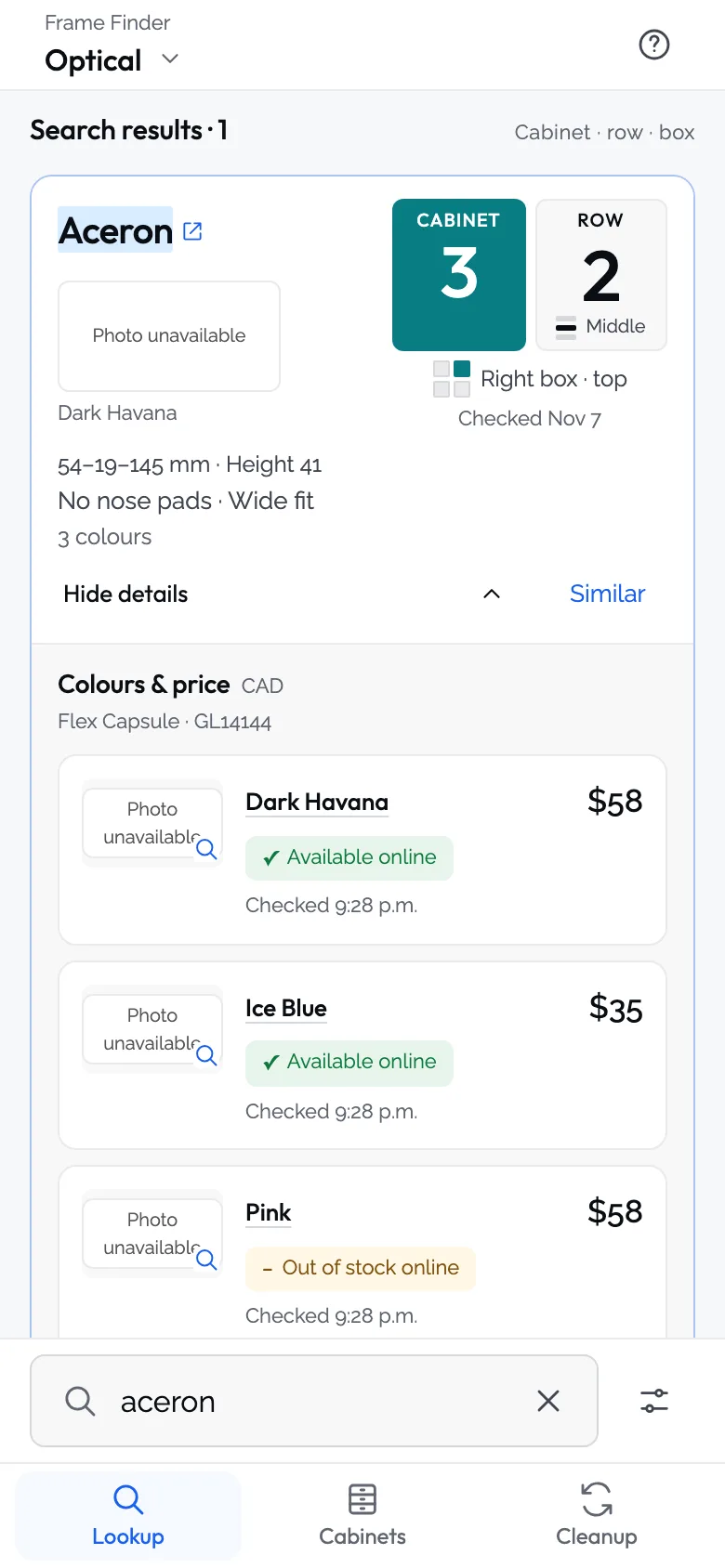
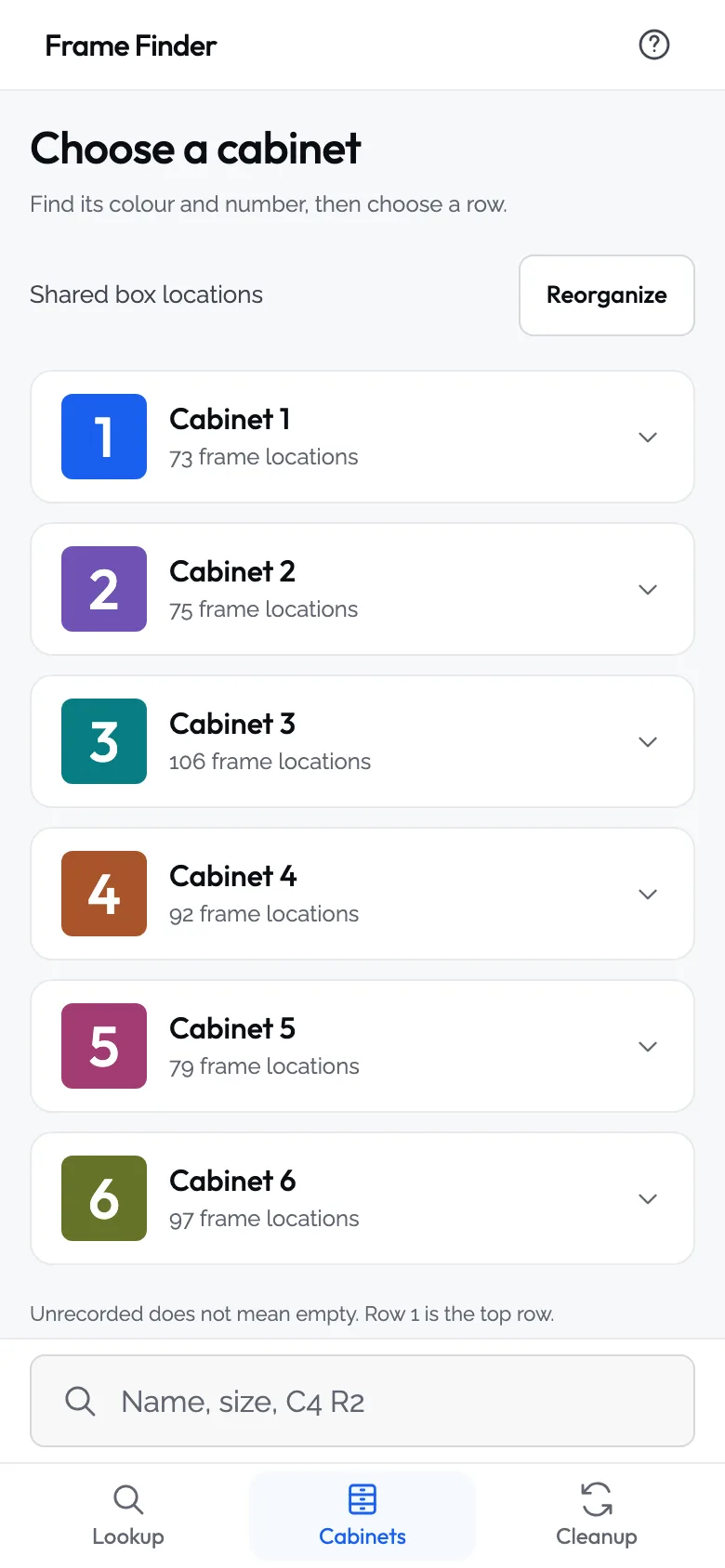
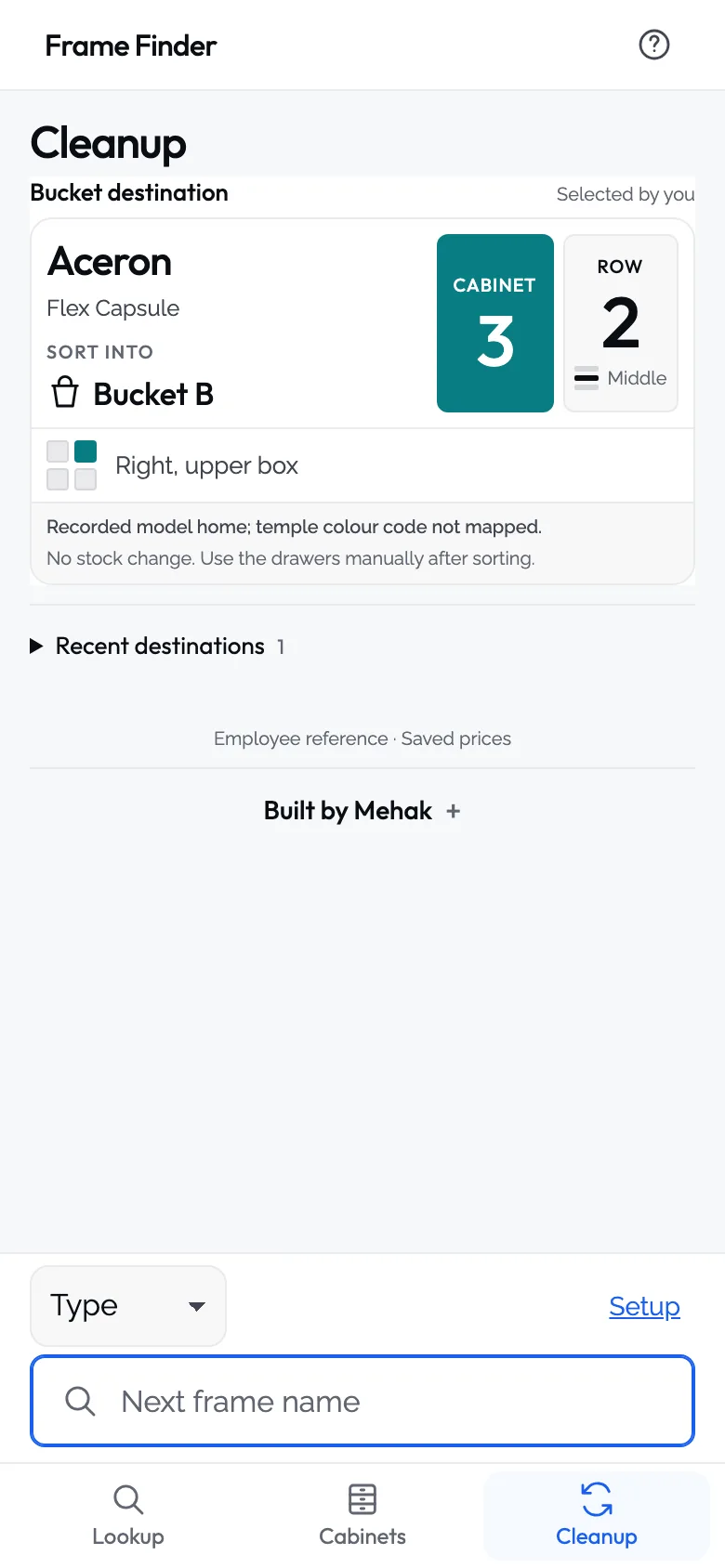
On a phone. The website states and prices in these stills are sample data.
Built for one hand and a busy counter.
Staff use it standing up, often mid-conversation. The search box sits at the bottom, by the thumb. It installs to the Home Screen, and the steps for that pop up on their own, written for the phone and browser in hand.
Cleanup is its own tab: type or read out the frame you’re holding and it says which bucket it goes in and where it lives. Designer frames that aren’t on the floor get stand-ins: house frames with the same lens height, shape and rim.
It keeps itself right.
Every morning a job reads the retailer’s public catalogue, checks a sample of prices against the live site, runs every test, and only then publishes. If any check fails, yesterday’s data stays and a note says why.
In November the retailer renamed 75 products in one go, and the frames lost their places for a few days. Now the tool keeps a ledger of every name each product code has had, so the next rename changes nothing on the floor.
- Followed by product code, not nameA rename, replayed in a test with names the tool has never seen, moves no frame and drops no record.
- A note every morningWhat changed overnight: new frames, renamed ones, price changes, and how many still have no shelf.
- LockedA company sign-in in front, and each phone approved by a manager before it sees anything.
- A copy for checking changesEvery change goes to a second copy with its own data first, and is looked at on a real phone before staff get it.
It tells us what it doesn’t know.
Under the help button, a box asks “Something wrong on this screen?” A note sent from there carries the screen, the search and the version with it, so nobody has to describe them.
Searches that find nothing are counted too. That list is the gaps in the data, in the words staff actually use.
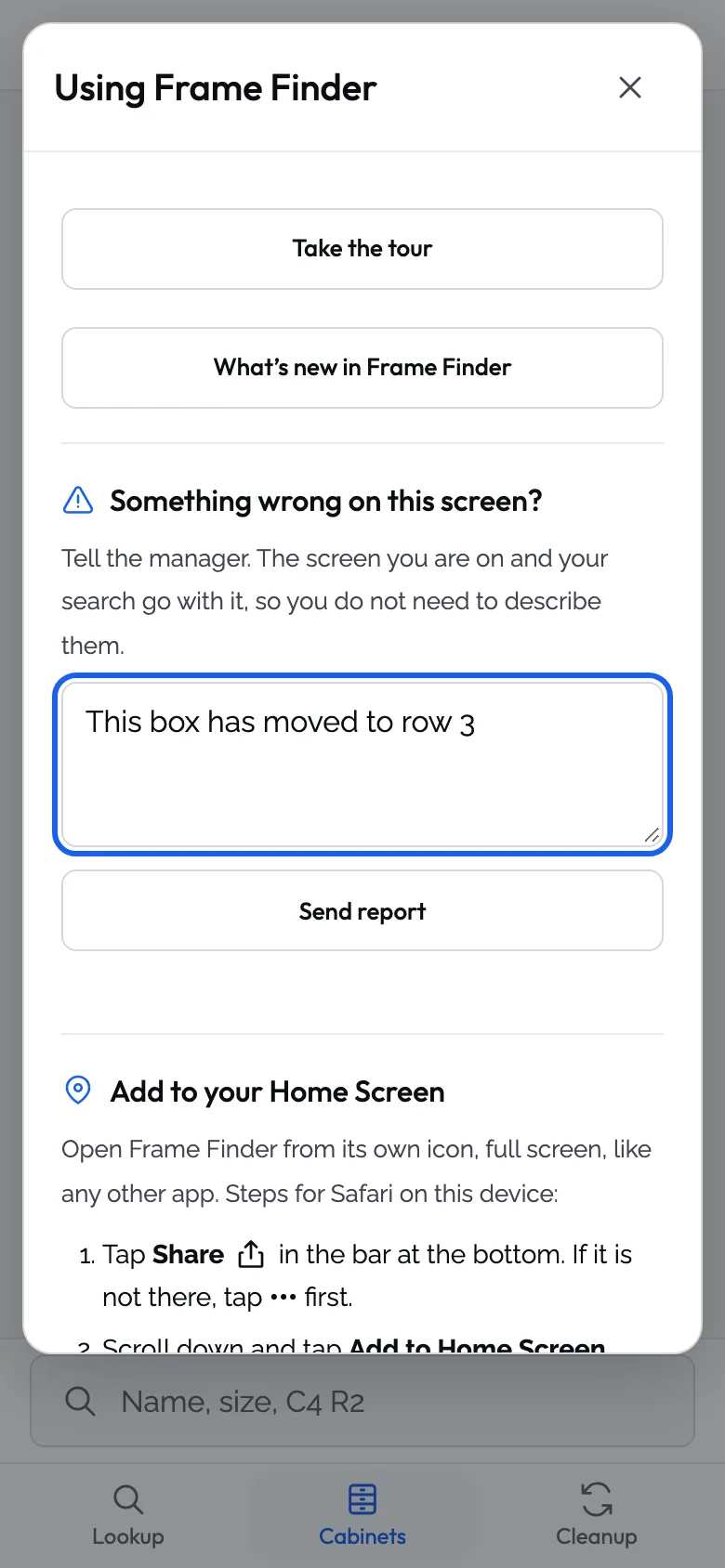
Tested on every change, current every morning.
Figures from the project on 16 November 2026.
Start with a brief
A brief about your business and what you need. We usually reply within one working day, to the email or phone number you give. Sending one is free and commits you to nothing.